Inspections & Quality
Find missed work on your own inspections and get it fixed before your client reports it.
Few owners walk every building every night, so missed work often reaches them as a client complaint. Clean Smarts gives you a scored record of the quality at each site you inspect, with supervisors scoring each area from their phone, even with no signal, and attaching photos and video. Failed items the inspector flags become tracked issues for your office, and clients see scored reports by email or in the customer portal.
Missed work found by your own team
Your supervisors score each area against the scope you sold, so a missed restroom shows up on your inspection before it shows up in a client's email.
A record to answer complaints
When a client says a room was skipped, you answer with that room's inspection and the photos and video attached to the item in question.
Failed items tracked until fixed
A failed item the inspector flags opens an issue with their notes and photos, and it stays on your issues list until someone closes it.
Results your clients see
Client contacts subscribed to a location get its scored reports by email, and portal logins show completed inspections, so clients see the quality they are paying for.
See missed work on your own report before your client does
When you can’t see every building in person, the first word of a missed restroom is often an email from the client. With Clean Smarts, your supervisors score each area from their phone against the scope you sold, down to a single restroom on a single floor. Every completed inspection lands on one list with the room, date, inspector and score, so a low score points you to the room that needs a second visit, often before the client notices.
Inspections
Catch overdue inspections and review scores by location.
- Completed
- Overdue
| Inspection ID | Location | Date Inspected / Completed By | Score | Actions |
|---|---|---|---|---|
| 18342 | Summit Office Tower / Floor 3 / Men's Restroom | Sep 24, 2026 Alvarez, Marisol ([email protected]) | 16 / 20 80 % | |
| 18341 | Summit Office Tower / Floor 2 / Women's Restroom | Sep 24, 2026 Alvarez, Marisol ([email protected]) | 18 / 20 90 % | |
| 18340 | Summit Office Tower / Floor 2 / Men's Restroom | Sep 24, 2026 Alvarez, Marisol ([email protected]) | 20 / 20 100 % | |
| 18317 | Summit Office Tower / Floor 3 / Break Room | Sep 23, 2026 Nguyen, Tomas ([email protected]) | 13 / 15 87 % | |
| 18296 | Summit Office Tower / Floor 1 / Lobby | Sep 22, 2026 Alvarez, Marisol ([email protected]) | 15 / 15 100 % |
Scroll sideways to see every column.
Score each site against its own contract
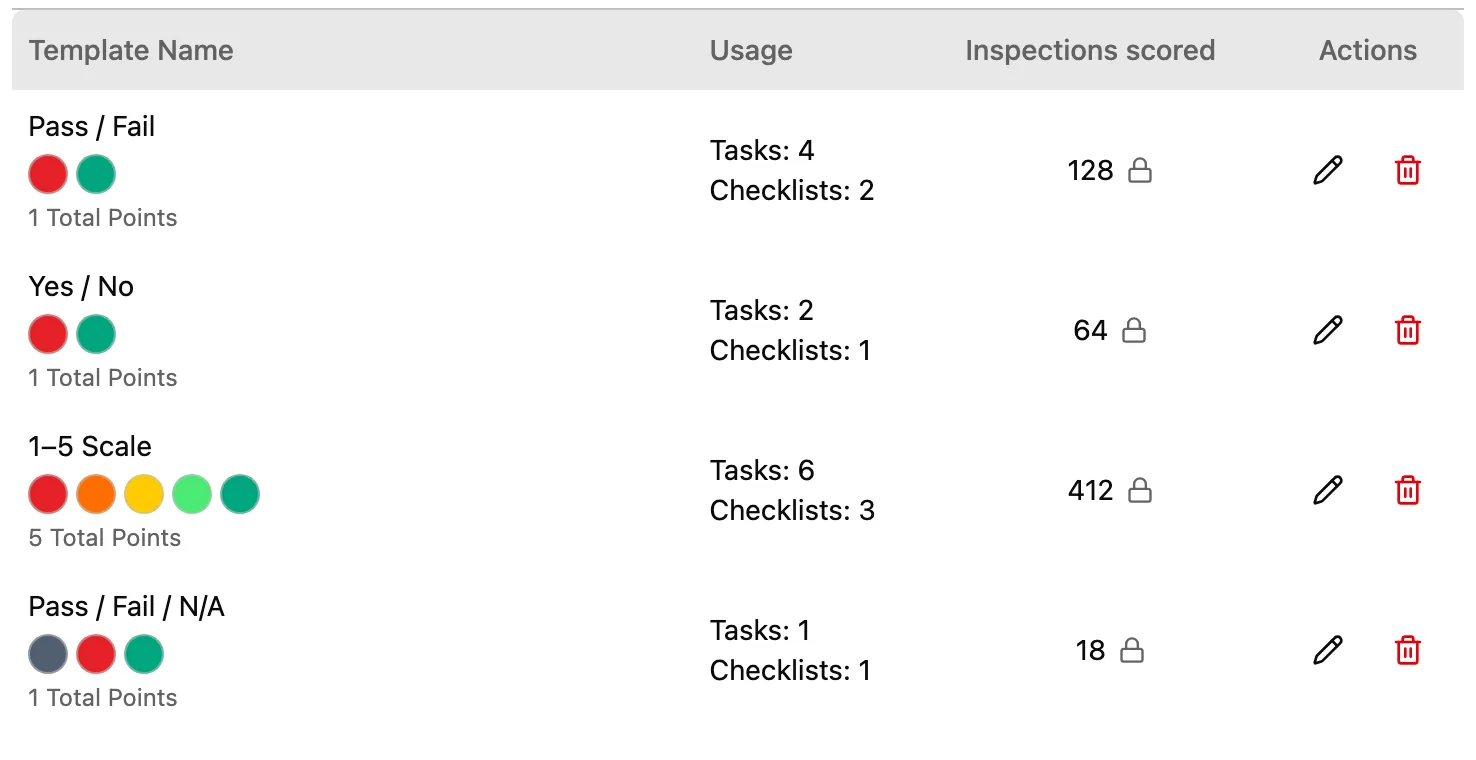
A common source of client complaints is a gap between the scope of work and what the client expected. Clean Smarts scores each site against its own contract, using one of four ready-made scales such as pass/fail and 1 to 5, or a custom scale you build for that client. Each floor, suite and restroom gets the checklist that matches its scope, so each space is scored against the scope you agreed to clean.
Answer a complaint with the inspection record
When a client says a restroom wasn’t cleaned, the answer usually comes down to a supervisor’s memory of the night. Your inspectors attach photos and video to the exact line item and sign when they finish, and if you require live photos, each one comes from the camera rather than the phone’s gallery. In basements with no signal, the mobile app saves the inspection and uploads it when the phone reconnects, so you answer the complaint with the record for that room on that night.
The complaint
Dana, Property Manager
The 2nd-floor women's restroom wasn't cleaned last night.
The record
Inspection Details - ID: 18341
Summary
- Total Score
- 18 / 20
- Percentage
- 90%
- Completed
- Alvarez, Marisol ([email protected]), 2026-09-24 22:42:00
Location Information
- Location
- Summit Office Tower 1200 Summit BlvdDenver, CO 80202
- Sub-location
- Floor 2 / Women's Restroom
All Inspection Entries
Restroom Daily QA
18 / 20 (90%)-
Fixtures and dispensers sanitized

5 / 5
100%
-
Mirrors and brightwork streak-free
Light spotting on the far mirror. Wiped during the inspection.
3 / 5
60%
-
Floor mopped and dry

5 / 5
100%
-
Trash and sanitary bins emptied
5 / 5
100%
Keep failed items open as issues until they are fixed
A problem written on an inspection report often waits until someone rereads the report, and the same restroom fails again the next week. In Clean Smarts, the inspector ticks Create issue on the failed item, and submitting the inspection opens an internal issue for that room with the inspector’s note and the item’s photos attached. The issue starts unassigned with no due date, so your office decides who fixes it, and it stays on your issues list until someone closes it.
The inspector's phone
Men's Restroom
Restroom Daily QA
- Fixtures and dispensers sanitized 5 / 5
- Mirrors and brightwork streak-free 5 / 5
- Floor mopped and dry 1 / 5
- N/A
- Bad
- Ok
- Good
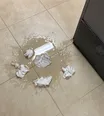
 Standing water and streaks by the last two stalls. Needs a re-mop tonight.
Your issues list
Issue #4821
Open InternalSummit Office Tower / Floor 3 / Men's Restroom
Unassigned
Due Date
Not set
Created
Marisol Alvarez
Sep 24, 2026, 10:58 PM
Description
Standing water and streaks by the last two stalls. Needs a re-mop tonight.
Convert to Work Order
Create a work order from this issue
Attachment (2)
-
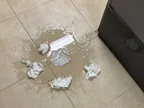
before
-
before
Inspections only find problems when they happen, and a busy supervisor sometimes skips one. Recurring inspections go on the schedule like any other shift, and missed ones appear on an overdue list with the location, due date, assigned inspector and how many days late each one is. You know which buildings have gone uninspected without calling each supervisor.
Give clients scored results they can check themselves
Clients mostly hear from their cleaning company when something has gone wrong, and the nights the building was done well go unseen. When an inspection is submitted, Clean Smarts emails the scored report to each user at that location who has completed-inspection emails turned on, including client logins, and to anyone the inspector adds. Completed inspections are also in the customer portal, so your client has a record of the work in hand when the contract comes up for renewal.
- From
- Clean Smarts <[email protected]>
- Subject
- Completed inspection—Summit Office Tower / Floor 2 / Women's Restroom: 18 / 20 (90 %)
Brightline Facility Services
Inspection Report - ID: 18341
Completed:
Alvarez, Marisol ([email protected])
2026-09-24 22:42:00 (local time)
Location:
Summit Office Tower
1200 Summit Blvd
Denver, CO 80202
Sublocation:
Floor 2 / Women's Restroom
All Entries:
Notes: Light spotting on the far mirror. Wiped during the inspection.
Scan to leave feedback or to view recent cleanings
Brightline Facility Services
Floor 3/Men's Restroom
On the Expert plan, people in the building scan a QR poster to rate a restroom and leave a comment, and each rating opens an issue for your team. Scorecard, also on the Expert plan, includes the average inspection score in each location’s grade, so the quality your supervisors record counts toward how each site is rated.
How Clean Smarts compares with spreadsheets and checklist apps
| What you need | Clean Smarts | Spreadsheets and forms | Basic checklist apps |
|---|---|---|---|
| Scored to the contract, area by area | Nested areas, custom scales | One sheet per site | Often one flat list |
| Proof of what was found | Photos, video and signature | In someone's camera roll | Photos |
| Failed items get fixed | Tracked issues | If someone follows up | Often a separate tool |
| Inspecting with no signal | Yes | Typed up later | Varies |
| Missed inspections caught | Overdue list with days late | No | Varies |
| Client-ready results | Email, portal or print | Built by hand each time | PDF export |
When each area is scored and failed items are tracked as issues, you hear about missed work from your own supervisors first. Your office has a list of what still needs fixing, and your client has the record of the work whenever they ask.
Frequently asked questions
How are inspection scores calculated?
Each scored item earns points toward its maximum, and the inspection score is the total earned divided by the total possible, shown as a percentage. With smiley-face scoring, items left unscored don't count against you. With a custom scale, every marked item counts, including zeros.
Can I use my own scoring scale?
Yes. Four ready-made scales are included, like pass/fail and 1 to 5, and you can build your own to match a contract. Smiley-face scoring is there for quick walk-throughs.
Can clients see inspection results?
Yes. Client logins at a location that have completed-inspection emails turned on get the scored report with photos when an inspection is submitted, and the inspector can add other recipients. Clients with a customer portal login also see completed inspections there. Customer logins are free.
What happens when an inspection item fails?
If the inspector flags the item, submitting the inspection opens an internal issue for that room with their notes and photos attached. The issue starts unassigned with no due date and stays open until someone closes it, and your office can convert it into a work order if the fix needs its own visit.
Do inspections work without a cell signal?
Yes. Inspectors finish the checklist and capture photos with no signal, and the inspection uploads when the phone reconnects, keeping the time it was actually done.
How do I make sure inspections actually happen?
Recurring inspections go on the schedule like any other shift, and any that get missed appear on the overdue list with the location, the due date and the assigned inspector. An inspection scheduled for several areas stays on that list until every one of those areas has been inspected.
Can building occupants report problems?
On the Expert plan, yes. Occupants scan a QR poster to rate cleanliness and leave a comment, with no app or login. Every rating opens an issue for your team.
Start free trial
Start your 14-day free trial. Card required to start — cancel anytime.